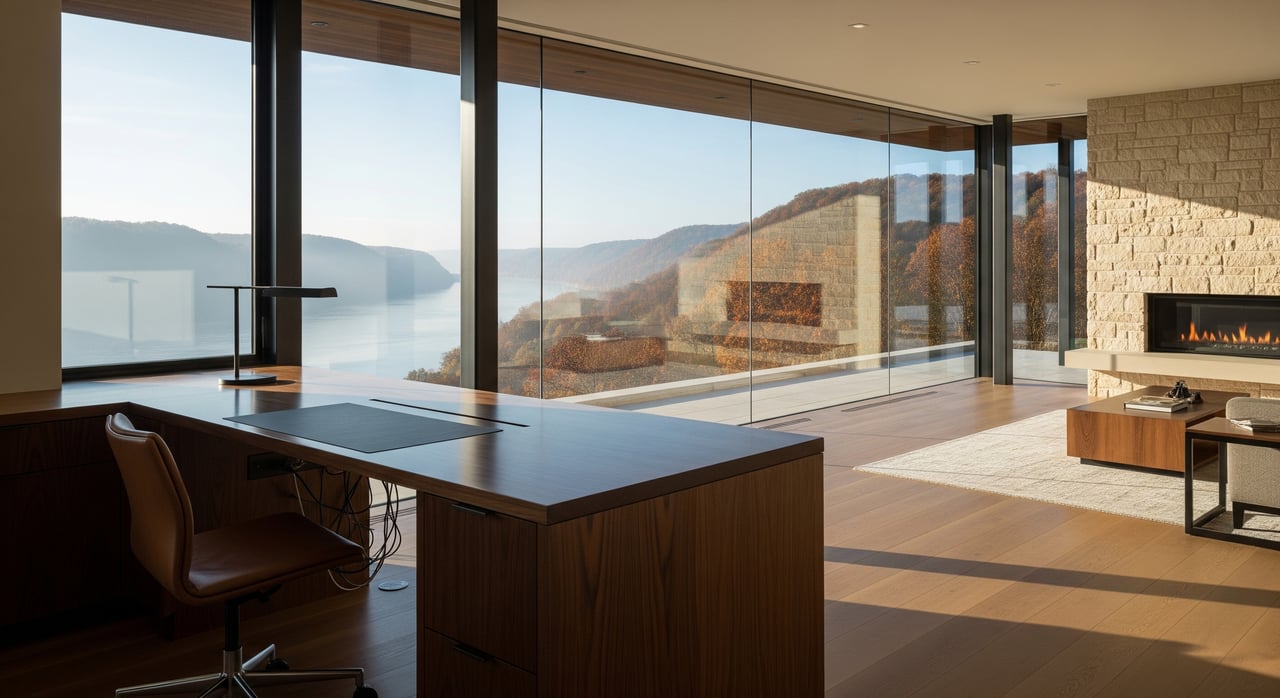
If you could trade a long commute for a quiet office, more space, and easy access to river trails, would you do it? Many professionals are making that move, and Onalaska in the La Crosse region is high on their list. You want reliable internet, a comfortable home workspace, and a community that fits your routines. This guide shows you how to find it in Onalaska, with practical steps to confirm connectivity, pick the right home features, and plug into local work spots and daily life. Let’s dive in.
Why Onalaska works for remote life
Onalaska sits just north of La Crosse along the Mississippi River corridor. You get quieter residential neighborhoods, access to outdoor recreation, and short drives to La Crosse’s regional employers and amenities. That balance is a strong fit if you work from home most days but head into the city for meetings or campus visits.
Housing options include established single-family neighborhoods, newer subdivisions, townhomes and condos, and some shoreline properties. If you plan to work from home, look for layouts with a separate office or flexible bonus rooms. Many buyers here prioritize an extra bedroom, a finished lower level, or a den that can close off for calls.
Home features that make work flow
The right floor plan and infrastructure can make your day smoother and more productive.
Dedicated office and privacy
Choose a room that closes off from household noise. A spare bedroom, den, or finished basement with a door works well. Pay attention to natural light, a window on the quiet side of the home, and a layout that allows a desk placement with minimal glare during video calls.
Flexible floor plans that adapt
Open-plan homes feel bright, but you still need quiet zones. Homes with a den, office, or bonus room are ideal. You can also make smart conversions, like a large closet into a micro office or a windowed basement room into a focused workspace. A second living area or formal dining room can double as a meeting space when needed.
Infrastructure that matters
- Wiring and outlets: Look for plentiful outlets and a place to run ethernet. Pre-wired rooms or a clean path from a modem to your office are a plus.
- Lighting and acoustics: Good daylight supports energy and clarity on video. Carpeting, rugs, curtains, and bookshelves help reduce echo.
- Comfort and efficiency: Separate HVAC zones or well-placed vents make it easier to heat or cool your workspace during the day without wasting energy.
- Power backup: A small uninterruptible power supply in a utility room or office keeps your modem and router online through brief outages.
Outdoor access supports focus
Patios, balconies, and nearby trails help you reset between calls. Quick walks, a stretch on the deck, or lunch outside can boost focus. Many Onalaska neighborhoods offer easy routes for short breaks or a longer ride after work.
Internet and connectivity you can count on
Reliable internet is the backbone of remote work. Service and speeds vary block by block, so verify at the address level during your home search.
How to verify service at an address
- Check the FCC Broadband Map to see which providers and speeds are reported for the exact address.
- Use broadband provider directories to identify local cable, fiber, or fixed wireless options, then confirm availability on provider sites by street address.
- Ask the seller or listing agent what ISP they use, the advertised plan, and if they have recent speed test results.
- Run your own speed tests at different times of day if possible.
What speeds to aim for
- Single remote worker: Sustained download of at least 25 to 50 Mbps and upload of 5 to 10 Mbps typically supports HD video calls and cloud work.
- Multiple remote workers, creators, or heavy collaboration: Target 100 Mbps or faster, with symmetrical fiber when available, for smoother uploads and lower latency.
Build a resilient home network
- Use a dual-band Wi‑Fi 6 router for better stability and coverage.
- Run wired ethernet to your primary workstation when you can.
- Add a mesh Wi‑Fi system in larger or multi-level homes.
- Put your modem and router on a UPS so brief power blips do not drop your call.
Backup options and cellular caveats
- Consider a mobile hotspot plan, a secondary ISP, or satellite service as a backup if guaranteed uptime matters for your role.
- Cellular reception varies with river bluffs and basins. Test calls and data indoors in the rooms you plan to use, and try multiple carriers to compare real-world speeds.
Places to work or meet away from home
You may not need a coworking desk every day, but it helps to have options.
- Coworking and flexible office: You will find more shared office choices in the city of La Crosse, including incubators and private coworking spaces. Check coworking directories and local chambers of commerce to confirm current locations, hours, and membership or day-pass options.
- Libraries: Public libraries in Onalaska and La Crosse typically offer free Wi‑Fi, quiet areas, and often study or meeting rooms you can reserve. Call ahead to learn the rules and booking process.
- Coffee shops and cafes: Both Onalaska and La Crosse have independent cafés and national chains with Wi‑Fi and power access. Mornings can be busy, while mid-afternoons are often quieter. Verify laptop policies, typical peak times, and outlet availability before planning a long work session.
- Meeting and event venues: Regional hotels, community centers, and chamber spaces in La Crosse can host larger meetings or presentations. Contact managers for room sizes, A/V capabilities, and booking terms.
Daily life rhythm in Onalaska
Hybrid schedule flexibility
Onalaska’s proximity to La Crosse makes hybrid work practical. Major employer hubs in La Crosse include health systems, higher education, and regional government. Many residents enjoy quiet home days, then drive into the city for occasional meetings, trainings, or campus events.
A sample workday
Start with a short walk on a local trail, then log focused hours in a quiet home office. Break for lunch on the patio. In the afternoon, head into La Crosse for a stakeholder meeting or a study room at the library. Wrap up with an easy drive home and an evening bike ride along a nearby route.
Family logistics and services
If schools are part of your decision, review neutral resources from the Onalaska School District for calendars and programs, and consider local childcare providers through county referral services. For healthcare, the La Crosse area includes facilities from Gundersen Health System and Mayo Clinic Health System, which many residents find convenient.
Community and networking
Professional groups, chamber events, and meetups across Onalaska and La Crosse help remote workers connect. Check the Onalaska and La Crosse area chambers of commerce and community calendars for current programming and networking opportunities.
Neighborhood-level checks before you buy
Use this checklist to evaluate how well a property will support remote work.
- Confirm broadband providers and advertised plans for the exact address. Ask for recent speed test results.
- Test cellular reception inside key rooms and at different times of day.
- Walk the block and listen for noise sources like busy roads or nearby venues.
- Review zoning or HOA rules for any home-business restrictions or signage limits.
- Consider package security, mail options, and proximity to parcel lockers.
- Assess walkability to coffee, groceries, and parks if that matters to you.
- Check parking and easy access if colleagues or clients may visit.
Onalaska vs. La Crosse: how to choose
Both communities serve remote workers well, but the feel is different. Onalaska offers quieter residential streets, more space options, and quick access to outdoor recreation. La Crosse concentrates more dining, culture, and shared workspaces in a compact area. Many buyers tour homes in both to decide which rhythm and housing style aligns with their routines. Virtual or in-person showings make it easy to compare.
How Favre & Co. supports remote workers
You deserve a home that fits your work and your life. As a locally rooted team serving the greater La Crosse region, we help you:
- Identify floor plans with true office potential and flexible bonus spaces.
- Verify connectivity at the address level and understand backup options.
- Compare neighborhoods for daily-life fit, from trail access to quick drives into La Crosse.
- Tour homes virtually or in person on your schedule, with clear communication every step.
When you are ready, we will coordinate a focused search, line up showings, and negotiate with your goals in mind. If you are selling, we will help you stage and present any home-office features to stand out for today’s buyers.
Ready to find a remote-work friendly home in Onalaska or the La Crosse area? Connect with Favre & Co. for personalized guidance and local expertise.
FAQs
What internet speeds do remote workers in Onalaska need?
- For one remote worker, aim for at least 25 to 50 Mbps download and 5 to 10 Mbps upload; for multi-worker homes or heavy collaboration, target 100 Mbps or faster, with fiber when available.
How can I confirm broadband service at a specific Onalaska address?
- Check the FCC Broadband Map for the exact address, verify plans with provider sites, request recent speed tests from the seller or agent, and run your own tests at different times if possible.
Which home features best support a dedicated office?
- Look for a separate room with a door, good daylight, low noise, ample outlets, a clear path for ethernet, and space for a small UPS to keep your modem and router powered.
Where can I work or meet away from home in the La Crosse area?
- Consider public libraries for quiet rooms, well-reviewed cafés during off-peak windows, and coworking spaces in La Crosse for day passes or meeting rooms; confirm hours and laptop policies in advance.
How does cellular coverage vary around Onalaska’s bluffs and river areas?
- Signal strength can change quickly by block and indoors vs. outdoors; test calls and data in your preferred workrooms with multiple carriers before you commit.
What local resources help remote professionals connect?
- Check the Onalaska and La Crosse area chambers of commerce, community calendars, and coworking event listings for networking, workshops, and professional meetups.